Datasets as Policy Test Fixtures for Production AI Agents
Changing a policy on a production AI agent today is one of two unpleasant things. You can run the new rule in audit-only mode for a week and eyeball the would-have-blocked list before flipping it to enforce; that’s slow and easy to forget. Or you can ship it as block and watch your support inbox; that’s fast and dangerous. The third option — replay the rule against a representative corpus of recent agent traces and read the would-change list before anything ships — requires two ingredients most tools don’t combine: a curated corpus of traces, and a simulator that replays a draft policy against that corpus.
So we built one.
What we shipped
This week, JamJet Cloud added a primitive we’re calling Datasets. A dataset is a small, curated collection of trace_ids you pin from your production traffic — the conversations and tool calls that matter, the edge cases you found, the ones a customer flagged. The trace data stays where it already is; the dataset is a pointer.
The point isn’t to label traces for evaluation — LangSmith’s dataset docs already frame datasets around evaluation examples with inputs and reference outputs (LangSmith evaluation concepts), and that’s a well-understood surface. The point of a JamJet dataset is to replay a draft policy against the pinned traces and read a per-event verdict diff before the policy ships. Same noun, different verb.
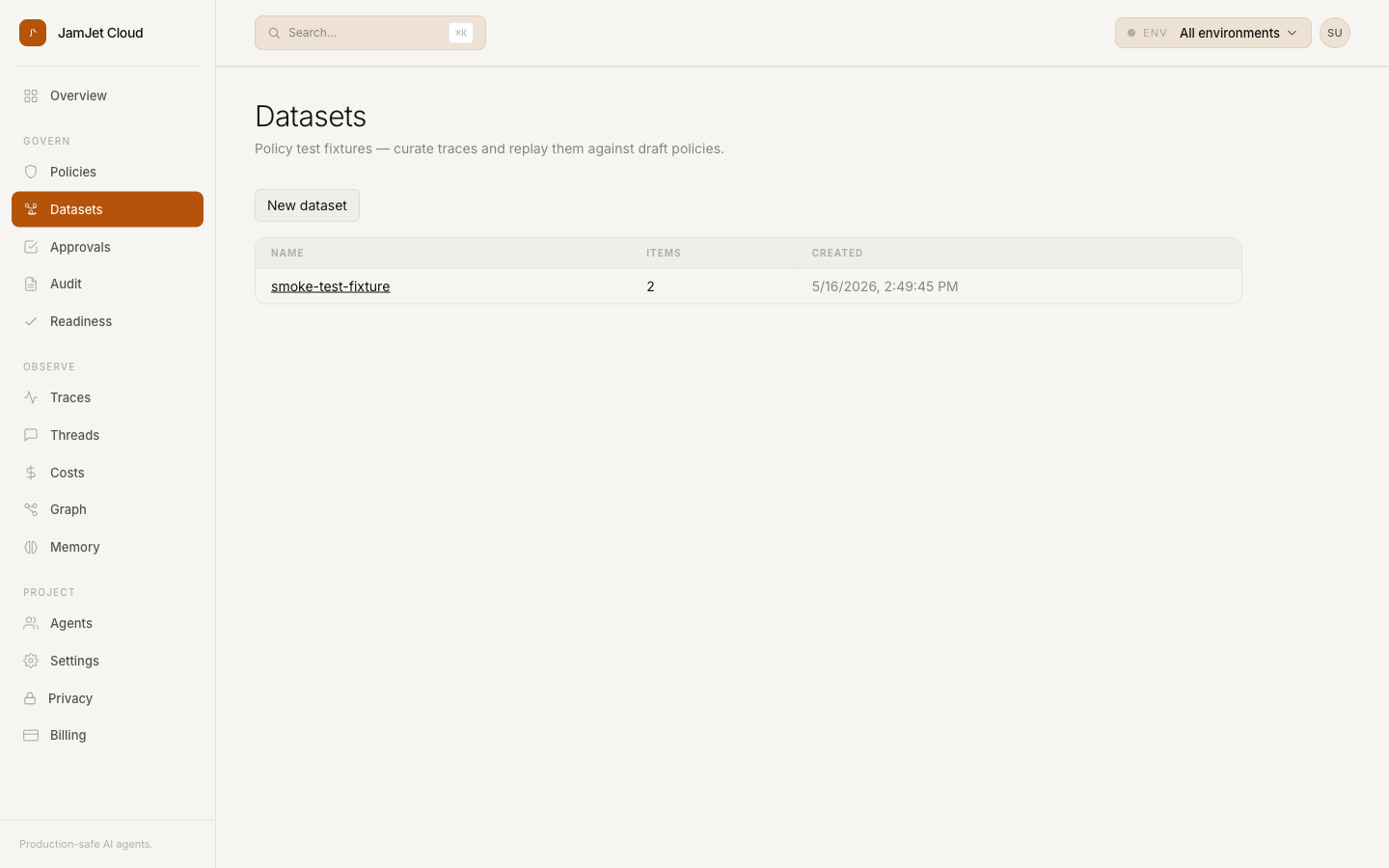
The flow in three steps
1. Curate
The Traces list got a left-edge checkbox column and a sticky footer. Select a few traces — the ones from the customer escalation, the ones your agent did something surprising on, the ones you’d point at in a postmortem — and add them to a dataset.
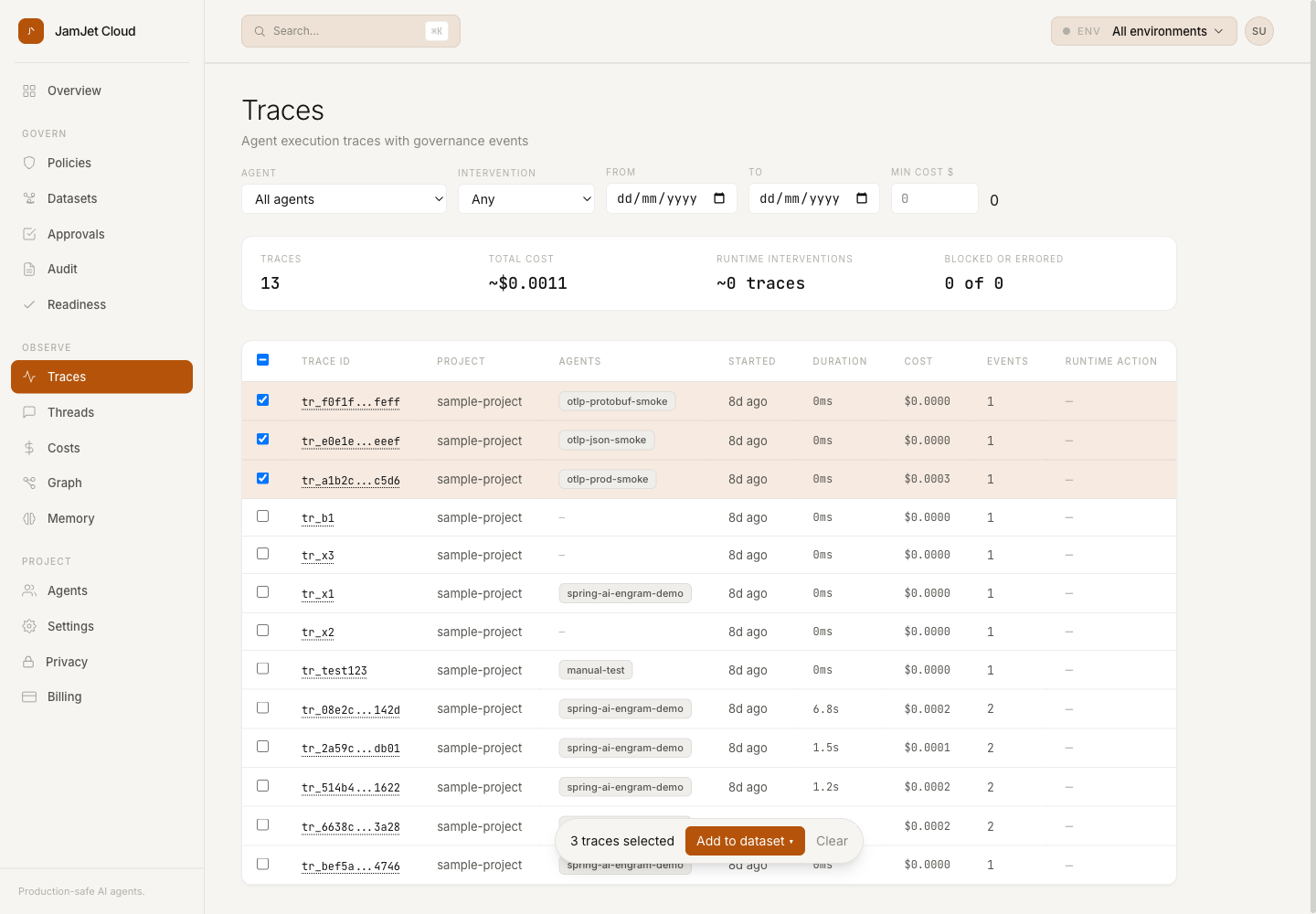
The dataset is a thin pointer ((dataset_id, trace_id) rows in Postgres with RLS); the traces stay where they were. Add a trace twice, nothing happens — ON CONFLICT DO NOTHING. Delete the dataset, the items cascade. Nothing fancy.
2. Draft a policy
Open the dataset’s detail page, click Run draft policy, and paste a DraftRule as JSON. Today this is the literal kind + pattern shape the runtime evaluator already uses:
{"kind": "block", "pattern": "openai.gpt-4o-mini"}pattern is a glob over the tool name. kind is one of block / require_approval / audit_only. Optional agent_pattern lets you scope by agent, optional cost_max_usd lets you express cost-band rules.
3. Replay
Click Simulate. The dashboard posts your draft, plus the dataset’s trace_id list, to POST /v1/policy/simulate/batch. The API scans every tool_call / llm_call / mcp_tool_call event from those specific traces, applies your draft, and returns four numbers and a sample table:
events_scanned— how many events we looked atevents_matched— how many your draft would have matchedevents_would_have_changed— how many would have flipped verdictsample_matches[]— up to 20 representative events, with tool / agent / cost / timestamp
The modal renders that immediately:
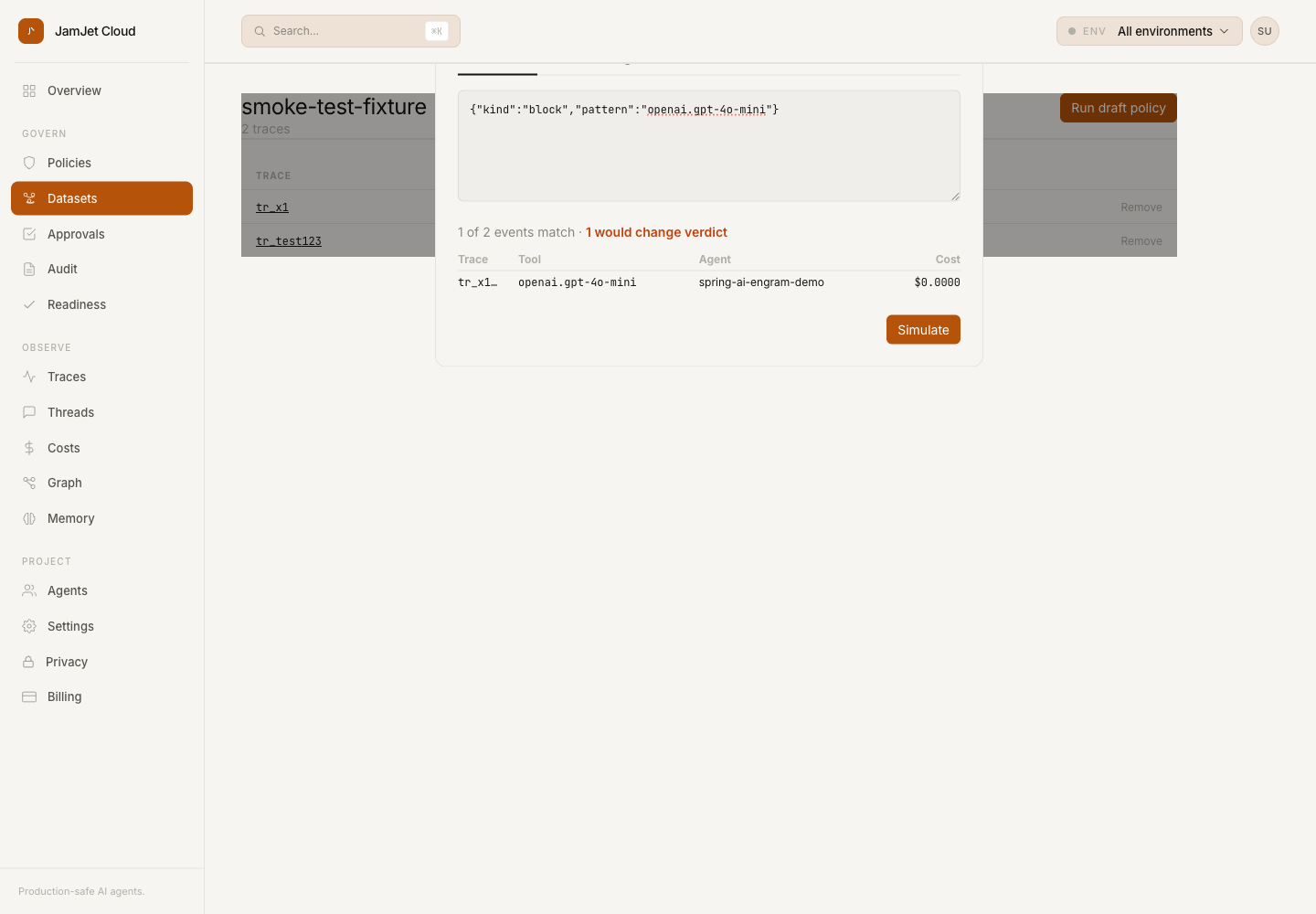
One verdict change, on one specific event, with the tool and agent name printed. That’s the entire claim. No proof-of-correctness for the policy across all of production — just an honest, dataset-scoped answer to “what would this rule have caught in the cases I care about?”
Why this matters
The class of mistake we’re trying to catch is the policy-regression. You write a rule meant to block shell.exec in untrusted agents. You ship it. It also matches every shell.exec call your own ops tooling makes. Half your control plane is now in approval purgatory. You roll back, write a post-mortem, swear about regex.
The simulate-before-apply pattern is standard in policy-engine land. Styra DAS, for example, supports decision-log replay against a draft policy so operators can estimate the impact of a rule change before enforcing it. Cloudflare’s WAF managed rules expose a similar mode for false-positive testing on captured request traffic. AI agent runtimes haven’t had the equivalent. Until you have a persisted, curated corpus to point the simulator at, the replay is just “the last 7 days of traffic, plus hope.”
A dataset gives you the corpus. The simulate-batch endpoint gives you the replay. Pinning the trace_ids means the same fixtures keep working as your traffic mix changes — the customer-escalation trace from three months ago is still part of the test set today.
Why this is different from LangSmith datasets
LangSmith’s datasets are shaped for output quality: inputs, expected outputs, scores. JamJet datasets are shaped for governance replay: trace_id pointers, project-scoped via RLS, no expected-output column. The operation on them isn’t “score with a judge model” — it’s “replay against a draft policy and tell me which events flip verdict.” Different schema, different endpoint, different surface.
The two coexist. Use LangSmith-shaped datasets when the question is model quality; use JamJet-shaped datasets when the question is whether a policy regression will land in production.
The rest of v0.3
The dataset primitive is the lead, but a few other things shipped in the same v0.3 cycle and are worth a one-line mention:
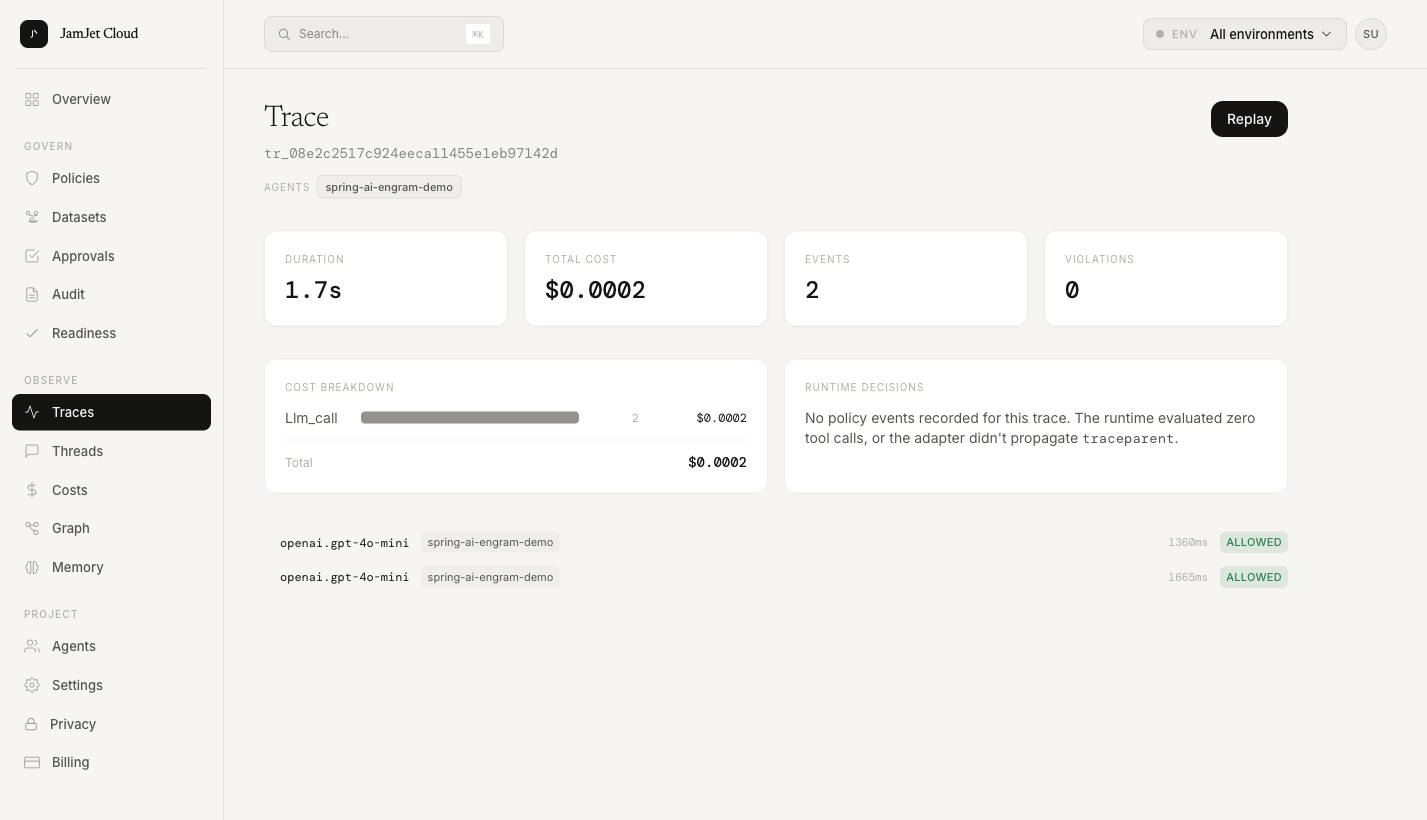
- RunTree. Trace detail is now a hierarchical view. Events nest under their parent span; policy decisions render as first-class child nodes alongside the tool call they evaluated. Replaces the old flat timeline.
- Threads.
/dashboard/threadsgroups traces bysession_idso you can read a conversation as a unit. Per-thread governance summary header —12 turns · ✓ 11 allowed · ✕ 1 blocked · 🔒 3 redacted. - Five-verb vocabulary site-wide.
allowed / blocked / held / redacted / errored. Same color tokens, same Lucide icons, same words across audit log, home, trace detail, thread detail. The thing the home page showed🔒 redactedfor now matches what the trace detail shows. - Dark mode with a light-default and an opt-in toggle in the user menu.
- Visual refresh. Inter / Inter Display / JetBrains Mono. Tightened table density. New favicon + OG image set. Mobile responsive at < 768px.
The Cloud repo is private at the moment; we’ll surface a full v0.3 changelog publicly when we open it up.
Try it
Datasets and simulate-batch are live on app.jamjet.dev today.
# pip install jamjet
from jamjet import init
init(api_key="<your-key>", project="<your-project>")
Tag the traces you’d want to keep as fixtures with a session_id, run for a few days, then start curating in the dashboard. The more pragmatic entry point: wait until the first policy you ship breaks something. Take the trace that broke, pin it, and use it as a regression fixture for every policy after.
GitHub issues for the SDKs land at github.com/jamjet-labs.
What’s next in v0.4
- Feedback primitive. 👍 / 👎 / comment on individual traces. Eval-flavored, deferred from v0.3 to keep the governance positioning clean.
- LLM-as-judge evaluators. Run a judge prompt against your dataset on demand or sample N% of prod traces. The version we want for v0.4 is to feed evaluator scores directly into policy routing — for example, sending low-relevance runs to approval instead of allowing them.
- Tags + structured metadata filtering. Slice the corpus by
metadata.user_tier=enterpriseortags:contains(canary). - Run comparison view. Pick two trace_ids, see them side-by-side with diff highlighting.
If you’ve been waiting for a policy-CI surface for agent runtimes, the dataset primitive is the start. The blast radius of a bad rule is highest the day before you find out about it. We’d like to make finding out cheap.